

CloudCart Create a store for €1Store for €1

Inventory software, ERP and POS

Online store connected
to your inventory software

Inventory and prices come from your inventory software, and online orders go into it on their own. You don't have to change the software you work with.

16+ ready-made connectionsAPI for any other system0% transaction fee

Already on CloudCart? Every program is an app in the admin: Apps → the software's name. See the connections, with a link to the admin ↓

ERP · Two-way sync · logexample
← Inventory by locationfrom the warehouse
← Pricesfrom the warehouse
→ Order #1041into the warehouse
→ New customerinto the software
Manual retypingnone

Example. Your software gives inventory and prices, and the store sends back orders and customers.

€550Min sales over 12 months
5.5Morders over 12 months
1,500+stores
10 yearsin ecommerce

Three reasons to start now

CloudCart's zeros apply through Dec 31, 2026. And as always: 0% transaction fee on sales.

€1per month for the planThe first 3 months, for every plan from Baby to Unicorn. The discount applies automatically, no code needed.
€0for migrationOur team migrates your store from any platform, with a 24-month contract.
0%card feesWith CloudCart Pay through Dec 31, 2026: Visa, Mastercard, Apple Pay and Google Pay.

Three ways to connect any system

Whatever software you use, there's a way. There's no third party between you and us.

  1. Ready-made connectionYou install your software's app from the admin and connect the two systems.
  2. Custom integrationYour software isn't on the list? Our team builds the connection specifically for your business.
  3. Your developerYour developer or your software vendor connects the two systems through the CloudCart API.
  4. CheckYou place a test order and see it in your warehouse software, with the inventory on the site.

Systems that work with CloudCart

The ready-made connections are apps in the admin.

Inventory and prices flow into the store, orders flow into your software

Your software stays the main system. The store takes inventory and prices from it and sends back orders and customers. Products are matched by barcode or SKU.

  • Microinvest, Micro.bg, SelMatic, Gensoft, Colibri and more
  • The update pace is set by the software itself
  • A returned item raises inventory and gets a credit note

Where: in the admin, Apps → the software's name.

Inventory and ERP · appsin the admin

The links lead to the admin sign-in, and each app is in Apps under its own name.

Inventory by location and orders straight to the POS

With POS systems the store takes inventory for each location separately. The customer orders online and collects from the location where the item is in stock.

  • PosMaster, Barsy, R-Keeper
  • Pickup in store and payment on the spot
  • Inventory by warehouse, linked to geo zones

More for merchants with physical stores: one inventory for the store and the site.

POS and locations · appsin the admin

The links lead to the admin sign-in, and each app is in Apps under its own name.

Import the supplier's catalog and sell from it

Distributor catalogs come with their categories, prices and inventory. You map their categories to your own.

  • ALSO, IT4Profit, Polycomp, Vali Computers
  • XML feed from any other supplier
  • Inventory updates on its own
Distributors · appsin the admin

The links lead to the admin sign-in, and each app is in Apps under its own name.

Open API for any system

Your developer or the company that maintains your software connects the two systems on their own. Everything they need is at cloudcart.dev.

  • GraphQL and REST API for products, inventory, prices, customers and orders
  • 20 types of signed webhooks to your software
  • CLI and MCP server for AI assistants

The API is included from the Starter Pack plan up.

API · cloudcart.devexample
# CloudCart notifies your software order.created → https://erp.example.bg/cc HMAC-SHA256 signature # Your software updates the store REST /api/v2 GraphQL /api/gql
Webhooks20 types, signed
API keyswith permissions, and read-only

Example from the old page. The documentation, examples and CLI are at cloudcart.dev.

Don't fall into these traps

The six things that keep the site and the warehouse living apart. In CloudCart each one has an answer.

Manual retypingHours every day and mistakes the customer sees.
Sold but not in stockThe site shows old inventory and takes orders for nothing.
“We don't support your system”A platform that wants you to change your inventory software.
Integration for monthsA project with no end and a growing budget.
Prices in two placesA different price in the store and in the warehouse.
Two companies, nobody responsibleThe ERP vendor and the platform blame each other.

Warehouse connection vs. manual work

CloudCartManual
Inventory on the siteComes from the warehouseYou update by hand
PricingFrom the inventory softwareYou change it in two places
Online ordersGo into the warehouse on their ownAn employee enters them
CatalogsSyncedYou maintain two
Retyping mistakesNo retypingThey happen
POS in storesPosMaster, Barsy, R-KeeperSeparate
A new systemWe build it for you on request, or your developer does it through the APIMonths of development
FormatsAPI, CSV, XMLExcel
Transaction fee on sales0%Depends on the platform

The comparison describes how things usually are and depends on the plan and the setup.

From sign-up to a working connection

  1. Create the store€1/month for the first 3 months. Already a customer? Go to step 2.
  2. Install the appApps → your software's name, then enter its access details.
  3. First syncProducts are matched by barcode or SKU and inventory comes into the store.
  4. Test orderPlace an order on the site and see it in the warehouse.

Connected to everything you work with

Couriers, banks, marketplaces and inventory software. You switch them on from the admin, no developer needed.

Couriers

Shipping labels, cash on delivery, offices and lockers from the admin.

EcontSpeedyBOX NOWSamedayEvropatPigeon ExpressPoshta MikMikNTC LogisticsELS LogisticGLS

Payments

The ways your customers pay.

CloudCart PayBoricaePaymyPOSFibankDSK BankPayseraPayPalStripeCash on deliveryBank transfer

Installments

The customer buys in installments and you get the full amount.

tbi bankDSK installmentsDSK 0%Fibank installmentsPB Personal FinanceIuteMokka

Marketplaces and comparison sites

One catalog, sales everywhere your customers shop.

eMAGOLXPazaruvajSravni.bgTrendoGlamiSkroutzTikTok ShopGlovo

Inventory, ERP and POS

Inventory, prices and orders move between your store and your software.

MicroinvestMicro.bgGensoftSelMaticBarsyR-KeeperZeronUniversumVersusColibriPOSMaster

Merchants who have already made the move

A retail chain, a sports brand, a football club, a pastry shop. See what they say and what their stores look like.

4,4
★★★★★on Google from 158 reviews

Hear from the owners themselves. Click a story to watch it.

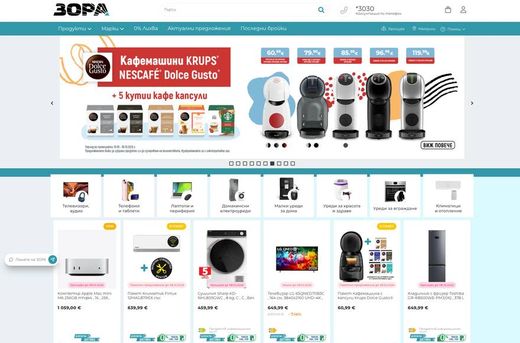
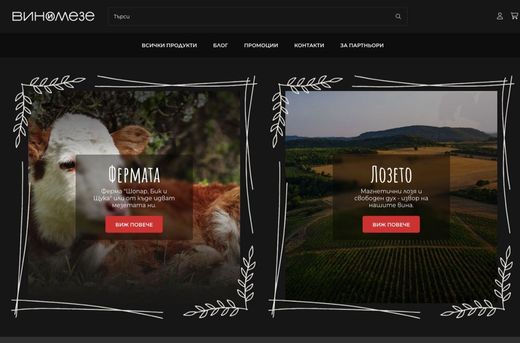
Real stores. Open them and browse as a customer.

Some of the brands selling with CloudCart.

The CloudCart team at the Sofia office

A Bulgarian team with 10 years of ecommerce experience

Stores on CloudCart sold €550 million over the last 12 months. The team is based in Sofia, knows the market and stays with you after launch.

  • A team in Sofia
  • A dedicated point of contact
  • 10 years of experience
  • Honest recommendations

Or build your store with your AI assistant

Claude Code, ChatGPT Codex, Cursor, VS Code or Gemini CLI build the store step by step: products, categories, descriptions and settings. Write in English.

  1. Register your storeRegistration takes a minute, with the same offer.
  2. Get an access keyIn the admin: bottom-left menu → “PAT tokens” → new key.
  3. Paste the sentence into your assistantIt asks about your goal and guides you step by step. Give it the key and your store’s address.
How it works with each assistant →
The sentence for your AI assistant
Fetch and follow the instructions at https://raw.githubusercontent.com/cloudcart/ai-toolkit/main/prompt.md to set up my AI agent for CloudCart

The assistant will talk to you in your language.

Questions

Questions about connecting to inventory software and ERP

01 / 10

Which inventory software works with a CloudCart online store?

Microinvest (Bulgaria's retail accounting software), Micro.bg, SelMatic, Gensoft, Colibri, Universum, Versus ERP and Finale Inventory for inventory and ERP, and PosMaster, Barsy and R-Keeper for POS. Each one is an app in the admin. If yours isn't listed, we build the connection for you.

02 / 10

What is an ERP integration for an online store?

A connection where inventory and prices flow into the store from your ERP or inventory software, and online orders and customers flow back into it. Nobody retypes orders by hand.

03 / 10

My software isn't on the list. What now?

Two ways: our team builds the connection for you, or your developer or your software vendor builds it through the CloudCart API. The documentation is at cloudcart.dev.

04 / 10

How fast is inventory updated?

It depends on the software: Micro.bg every 3 minutes, SelMatic every 4 hours, Barsy every 8 hours, PosMaster once a day, and Microinvest on change or when you run the sync.

05 / 10

Is the connection two-way?

Yes. Inventory and prices come from your software, and orders and customers go into it. Exactly what syncs depends on the system.

06 / 10

Can I see inventory by location?

Yes. With POS systems the store takes inventory for each location separately, and with Local Pickup the customer collects from the location where the item is in stock.

07 / 10

Can the online price be different?

Yes. If prices come from Microinvest, you choose which of its price groups goes online.

08 / 10

Who can use the API?

Any developer with an API key from your store. The API is included from the Starter Pack plan up.

09 / 10

Do I need a license for the software?

Yes, for your software, from its vendor. The connection to CloudCart is a separate app in the store.

10 / 10

How much does it cost?

The plan is €1/month for the first 3 months, for every plan from Baby to Unicorn. No transaction fees.

The store and the warehouse, one truth

Create the store for €1/month for the first 3 months and connect the software you already work with.