




































CloudCart Create a store for €1Store for €1

CloudCart Pay · 0% fee through Dec 31, 2026

Accept cards
with no fee until the end of the year

Visa, Mastercard, Apple Pay and Google Pay in your store. Through Dec 31, 2026, you pay no fee on any card payment. No bank agreement.

0% fee through Dec 31, 2026No bank agreementNo monthly fee

Already on CloudCart? Turn it on in your admin: Settings → Payment methods → CloudCart Pay.

/admin/payment-providers/cloudcart_pay/onboardingOpen CloudCart Pay in your admin →

From order to money in your account

The customer never leaves your store, and you pay no fee until the end of the year.

  1. The customer ordersThey pick products and reach payment in your store.
  2. They pay in your storeBy card, Apple Pay or Google Pay. The form is built in, with no redirect.
  3. The bank confirmsThe customer's bank verifies the payment right in the form. The order is paid.
  4. The money reaches youIn your account, usually within 2 to 5 business days. No fee through Dec 31, 2026.
Do the math

How much in fees you won't pay through Dec 31, 2026

Enter how much you sell by card each month and what you pay today. The result is approximate.

The fee you won't pay through Dec 31, 2026
-
Fee today, per month-
With CloudCart Pay, per month€0
Months until Dec 31, 2026-

1.9% + €0.25 is the Shopify Payments rate on the Basic plan (shopify.com/pricing, Sep 29, 2026). Choose the rate you pay.

More paid orders, less waiting

Why pay a cash on delivery fee

Many customers choose cash on delivery (COD), then pay the courier by card or at the parcel locker. You pay the COD fee and wait for the money. When they pay by card on the site, the order is paid right away.

38% of payments in the first hours of Black Friday 2025 at eMAG were by card, up from 33% a year earlier (eMAG, Nov 14, 2025).

Cash on delivery
  • ✕Cash on delivery fee
  • ✕Money arrives after delivery
  • ✕The customer can refuse the parcel
CloudCart Pay
  • €0.00 fee through Dec 31, 2026
  • Money in your account in 2 to 5 days
  • The order is paid on the site

The cash on delivery fee depends on your courier agreement. Cash on delivery and bank transfer stay if you want them.

What you get with CloudCart Pay

One-touch payment, a zero fee until the end of the year and the money in your own account.

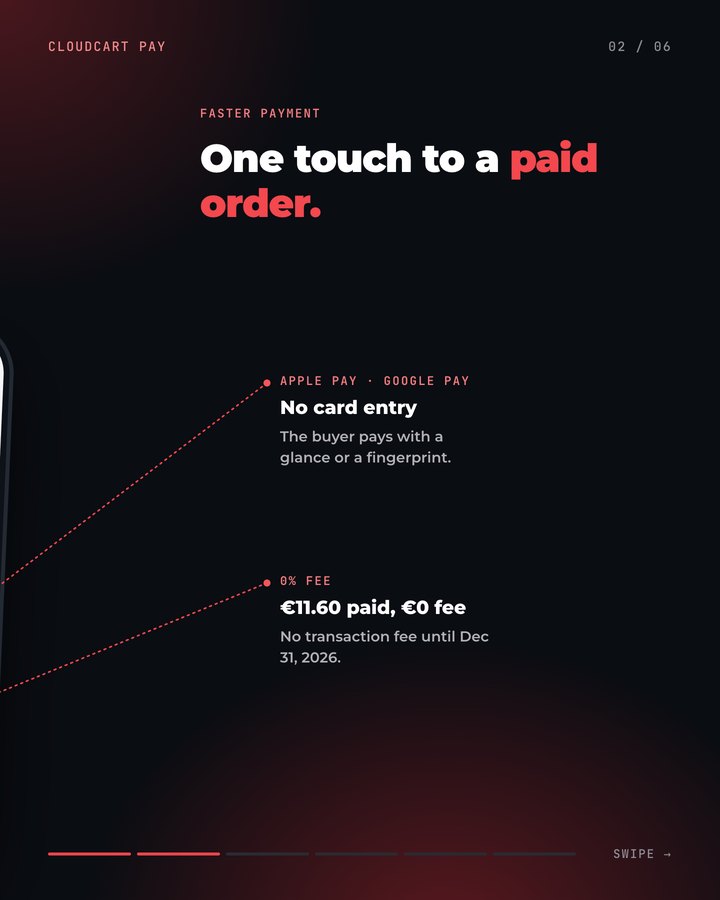
Apple Pay and Google Pay straight from the product

The customer taps Apple Pay or Google Pay on the product page and pays with one touch. They don't type card details or go through the cart. The address and shipping details come from the phone.

  • Express button next to “Add to cart”
  • Signed-in customers save their card for next time
  • Works on phone and on desktop

How: in the CloudCart Pay settings, turn on Apple Pay, Google Pay and fast payment from the product page.

CloudCart Pay: one touch to a paid order

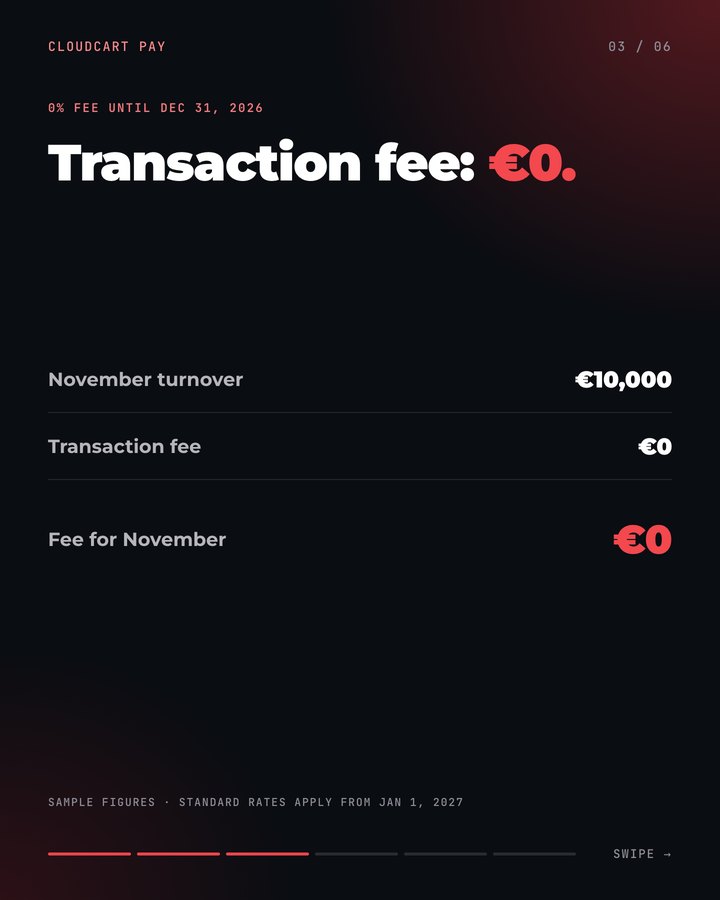
Transaction fee: €0

Through Dec 31, 2026, the transaction fee is 0%, whatever the card. No monthly fee.

  • Visa and Mastercard
  • Apple Pay and Google Pay
  • You see the fee on every payment in your admin

Sample figures on the screen. From Jan 1, 2027 the standard rates below apply.

CloudCart Pay: transaction fee €0

Straight to your bank

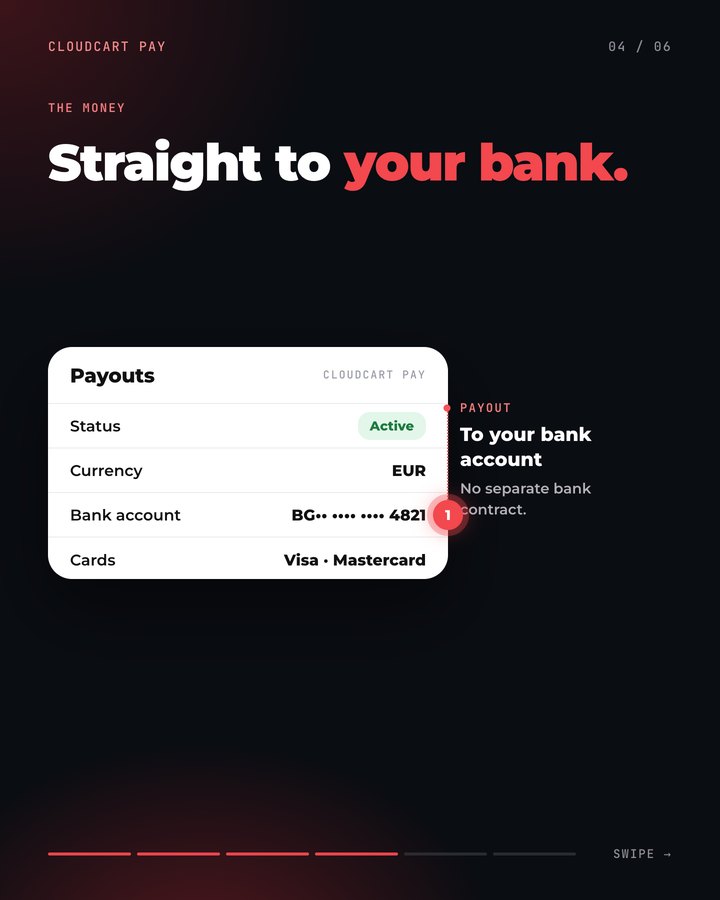
Payouts by SEPA to the account you enter at registration. You see transactions and payouts in the same admin panel.

  • Usually 2 to 5 business days
  • Payouts in 11 currencies: EUR, USD, GBP, CHF, PLN, RON, CZK, HUF, DKK, SEK, NOK
  • Refund a payment from the order, in full or in part
CloudCart Pay: payouts to your bank account

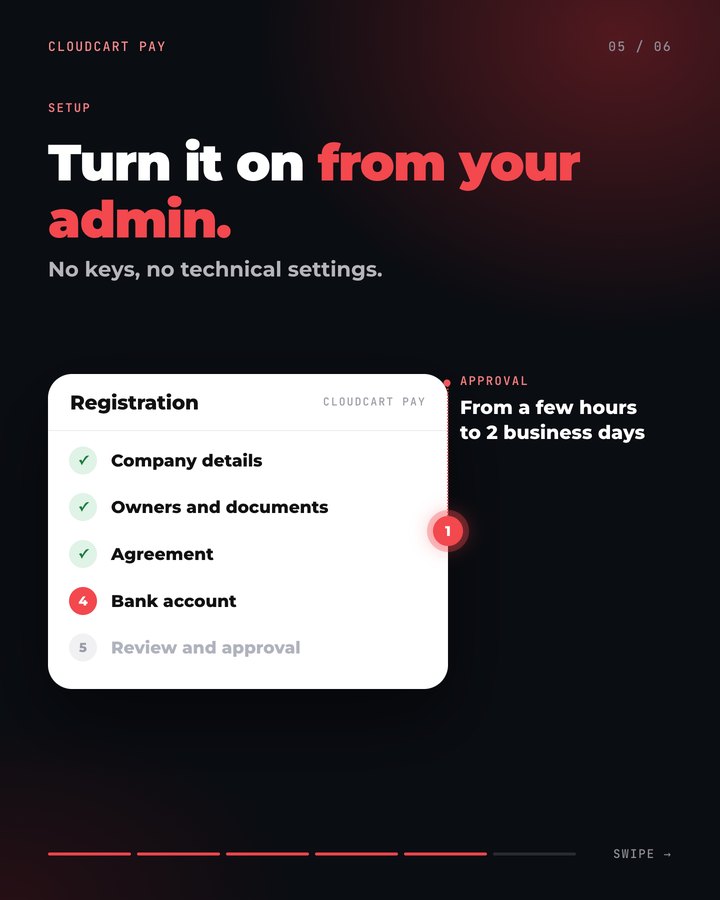
Turn it on from your admin, no bank needed

You don't sign an agreement with a bank. Registration is in the admin itself, in seven steps: account, business, representative, documents, consent, bank account and status.

  • No office visit: documents are uploaded as files
  • Stop and continue from the same step
  • The method turns on once you're approved

Who can: businesses, including sole traders, and non-profit organizations. The account must be in the name of the business or the representative.

CloudCart Pay: registration from the admin

No transaction fees through the end of 2026

Through Dec 31, 2026, the transaction fee is 0%, whatever the card. From Jan 1, 2027 the two rates below apply, depending on the customer's card. No monthly fee and no separate bank agreement.

Consumer cards from the EEA0%through Dec 31, 2026From Jan 1, 2027: 1.29% + €0.05 per transaction, excl. VAT

Consumer Visa and Mastercard cards issued in the European Economic Area

Business cards and cards from outside the EEA0%through Dec 31, 2026From Jan 1, 2027: 2.69% + €0.05 per transaction, excl. VAT

Business cards from the EEA and all cards issued outside the European Economic Area

CloudCart Pay, Shopify Payments and a bank agreement

Only verifiable facts, with a source and a date.

CloudCart PayShopify PaymentsBank agreement
Card payment fee0% through Dec 31, 20261.9% + €0.25 (Basic plan)Per the bank agreement
Bank agreementNoNoYes
Apple Pay and Google PayYes, with one buttonYesDepends on the bank
The customer stays in the storeYes, the form is built inYesDepends on the bank

Shopify: shopify.com/pricing, checked on Sep 29, 2026. Bank agreements differ, which is why it says “per the agreement”.

Secure for the customer, calm for you

The card isn't stored with usCloudCart never stores card details, only a secure token for the card.
Bank verificationThe customer's bank verifies the payment right in the form, without opening another page.
Verified merchantsEvery business is checked before it accepts payments. That protects you and your customers.

CloudCart Pay in your store

  1. Create your store€1/month for the first 3 months. Already a customer? Go to step 2.
  2. Register in your adminSettings → Payment methods → CloudCart Pay: business, documents and account.
  3. Turn on Apple Pay and Google PayAnd fast payment from the product page, with one button.
  4. Accept cards with no feeThrough Dec 31, 2026, and the money arrives in your account.

Already on CloudCart? Turn it on in your admin: Settings → Payment methods → CloudCart Pay.

/admin/payment-providers/cloudcart_pay/onboardingOpen CloudCart Pay in your admin →

Have a store on another platform?

We migrate it for €0 with a 24-month contract: your products, customers and Google rankings, within 45 days, without interrupting sales.

Or build your store with your AI assistant

Claude Code, ChatGPT Codex, Cursor, VS Code or Gemini CLI build your store step by step: products, categories, descriptions and settings. Write in English.

  1. Register your storeRegistration takes a minute, with the same offer.
  2. Get an access keyIn the admin: bottom-left menu → “PAT tokens” → new key.
  3. Paste the sentence into your assistantIt asks about your goal and guides you step by step. Give it the key and your store’s address.
How it works with each assistant →
The sentence for your AI assistant
Fetch and follow the instructions at https://raw.githubusercontent.com/cloudcart/ai-toolkit/main/prompt.md to set up my AI agent for CloudCart

The assistant will talk to you in your language.

Merchants who have already made the move

A retail chain, a sports brand, a football club, a pastry shop. See what they say and what their stores look like.

4,4
★★★★★on Google from 158 reviews

Hear from the owners themselves. Click a story to watch it.

Real stores. Open them and browse as a customer.

Some of the brands selling with CloudCart.

The CloudCart team at the Sofia office

A Bulgarian team with 10 years of ecommerce experience

Stores on CloudCart sold €550 million over the last 12 months. The team is based in Sofia, knows the market and stays with you after launch.

  • A team in Sofia
  • A dedicated point of contact
  • 10 years of experience
  • Honest recommendations

Questions

Questions about CloudCart Pay

01 / 09

How much does CloudCart Pay cost?

Through Dec 31, 2026, the fee on card payments is 0%, whatever the card. From Jan 1, 2027: 1.29% + €0.05 for consumer Visa and Mastercard cards from the EEA and 2.69% + €0.05 for all other cards, excluding VAT. There is no monthly fee.

02 / 09

Do I need an agreement with a bank?

No. You register from your store admin, go through seven steps and, once approved, turn the method on. There are no keys to enter and no separate integration.

03 / 09

Who can use CloudCart Pay?

Businesses, including sole traders, and non-profit organizations. You need the representative's ID, the business registration document and a bank account in the name of the business or the representative.

04 / 09

When does the money arrive?

In your bank account via SEPA, usually 2 to 5 business days after the payment. You can also add an account for another currency.

05 / 09

What can customers pay with?

Visa, Mastercard, Apple Pay and Google Pay. The form is built into checkout, and Apple Pay and Google Pay can also appear on the product page.

06 / 09

Is it secure?

Yes. CloudCart does not store card details, only a secure token for the card. The customer's bank verifies the payment right in the form.

07 / 09

Can I refund a payment?

Yes. From the order page, in full or in part. The money goes back to the customer's card, and the payment status updates on its own.

08 / 09

Do cash on delivery and bank transfer stay?

Yes. CloudCart Pay is one more way to pay, alongside cash on delivery (COD), bank transfer or installments. You decide what to offer. If you prefer a bank agreement, card payments through DSK Bank and Borica stay available too.

09 / 09

Which plan is it on?

On all CloudCart plans.

0% fee on cards through Dec 31, 2026

Create your store for €1 per month for the first 3 months and turn on CloudCart Pay from day one.