










01 / 07
Is there a mobile app for managing an online store?
Yes. CloudCart Admin for iPhone and Android includes orders, statuses, waybills, new order notifications, and a sales dashboard, at no charge.
CloudCart Admin · for iPhone and Android
Change the status, create a waybill, and switch couriers without opening your computer. Get a notification for every new order, wherever you are.
Already using CloudCart? Download the app from the App Store or Google Play and sign in with your store’s admin account.

Your store’s orders, on your phone. Scan the code with your camera or tap it.Tap the button for your phone.
Sign in with your CloudCart store’s admin account.
Your customer has paid, but you’re on the road, in a meeting, or taking a break. Every hour without a waybill means a later delivery and a less satisfied customer. With CloudCart Admin, you process the order from your phone, right away.
The four things merchants open their computers for. Now in your pocket.
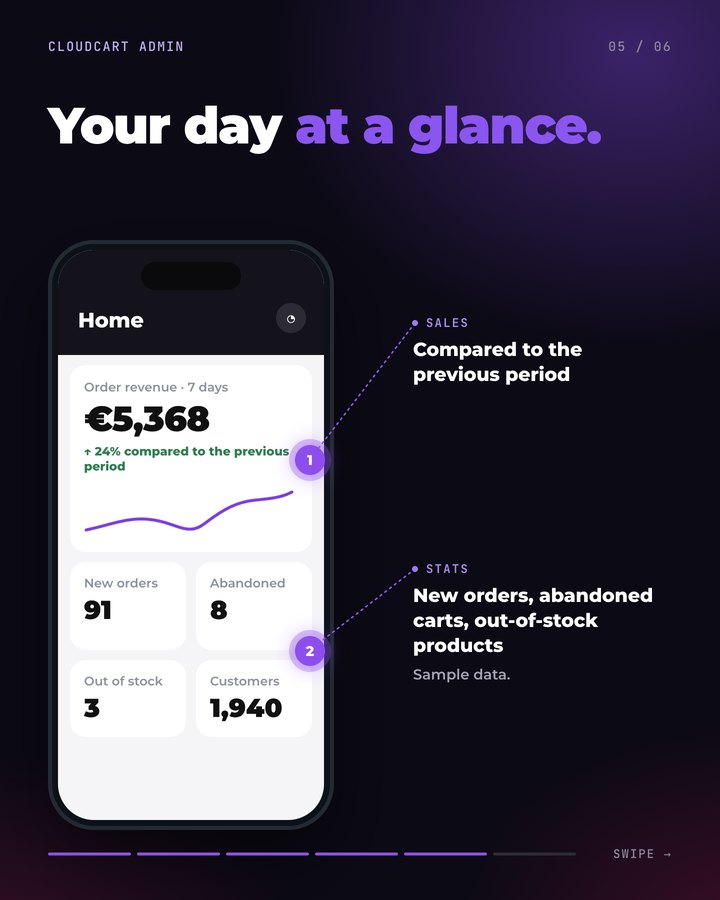
Open any order to see its products, customer, payment, and shipping details. Change the status, create a waybill, and change the courier, shipping method, and pickup office. Add products and variants, and apply a discount.
For your business and your time: the order ships within the hour. Your customer gets the package sooner and orders again.
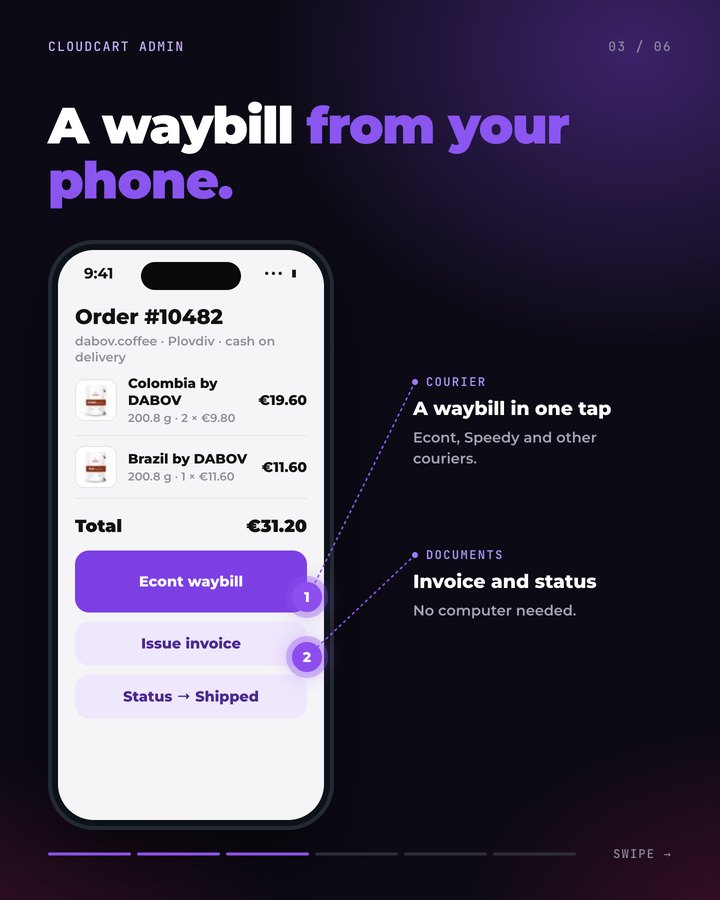
Your phone gets a notification for every new order and important store event. Open the order with one tap and process it right away.
Example: a customer calls to add one more product. Add it from your phone while you talk.
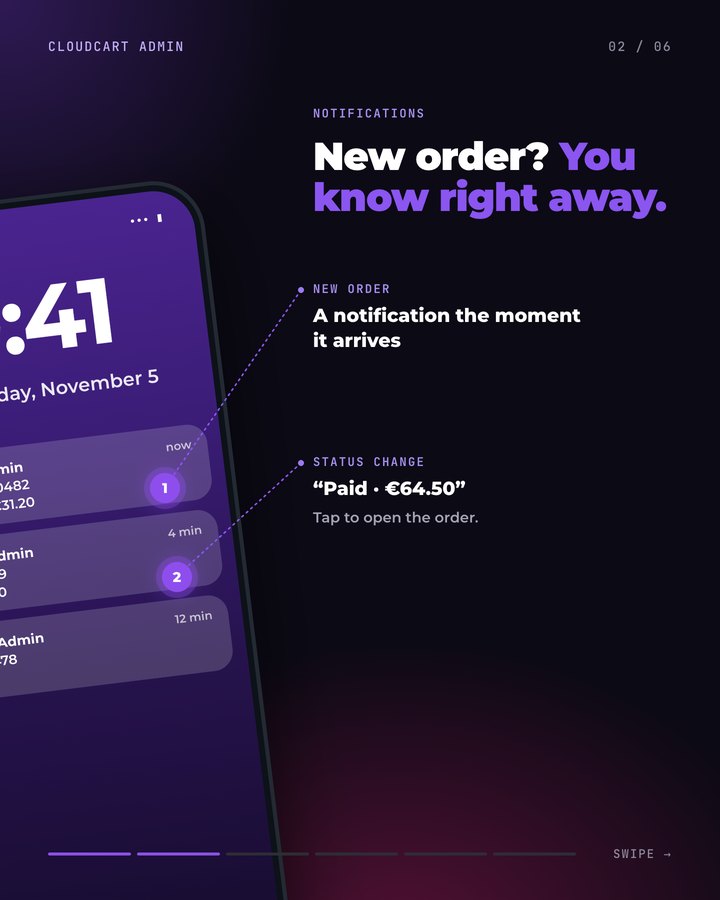
Revenue, orders, and key sales metrics, whenever and wherever you need them. Track your store’s performance over time.
Why it matters: advertising and inventory decisions are based on data, not gut feelings.
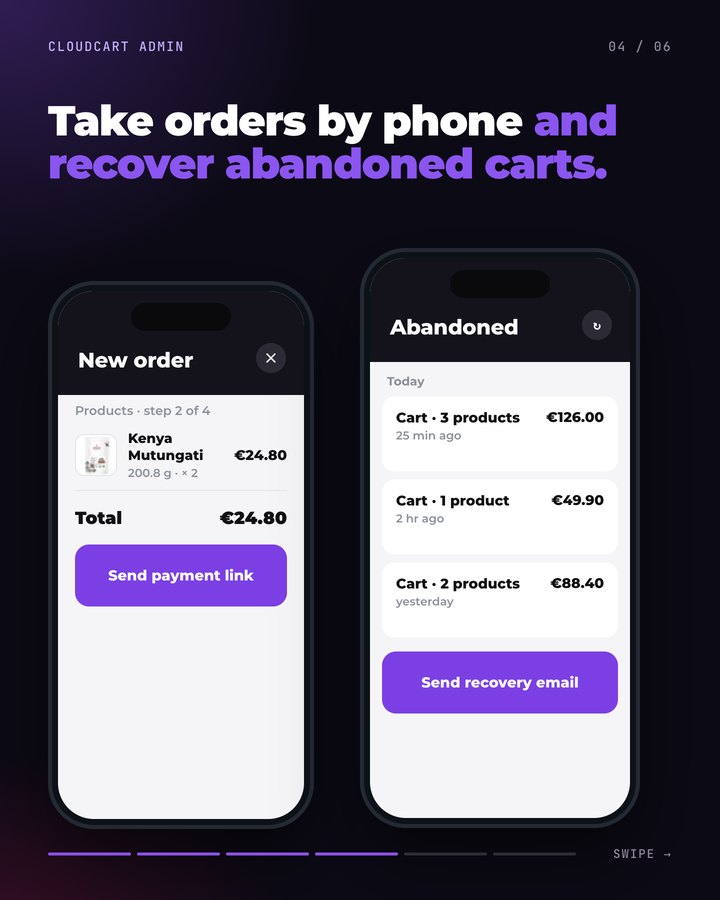
See the carts your customers left behind and what was in them. Take phone orders and send a payment link, too.
How to use it: an abandoned cart represents a customer who almost bought.
The app gets updates every month. Our goal: within 6 months, you manage your entire online store from your phone.
Your store is €1/month for the first 3 months. CloudCart gives you more tools to help you sell alongside it.
We migrate it for €0 with a 24-month contract: your products, customers and Google rankings, within 45 days, without interrupting sales.
Claude Code, ChatGPT Codex, Cursor, VS Code or Gemini CLI build your store step by step: products, categories, descriptions and settings. Write in English.
Fetch and follow the instructions at https://raw.githubusercontent.com/cloudcart/ai-toolkit/main/prompt.md to set up my AI agent for CloudCartThe assistant will speak to you in English.
A retail chain, a sports brand, a football club, a cake store. See what they say and what their stores look like.
Hear from the owners themselves. Click a story to watch it.
Real stores. Open them and browse as a customer.
Some of the brands selling with CloudCart.




































Our stores generated €550 million in sales over the last 12 months. The team is based in Sofia, knows the market, and stays with you after launch.
Questions
01 / 07
Yes. CloudCart Admin for iPhone and Android includes orders, statuses, waybills, new order notifications, and a sales dashboard, at no charge.
02 / 07
Nothing extra: there’s no app fee. Sign in with the account you use to manage your CloudCart store.
03 / 07
iPhone with iOS 16.4 or later, and Android.
04 / 07
Yes. Change the order status, create a waybill, and change the courier, shipping method, and pickup office from your phone.
05 / 07
Yes. Add products and variants, apply a discount, and change the customer and payment method.
06 / 07
The app gets updates every month. Aura Support is coming next, and the goal is to let you manage your entire store from your phone within 6 months.
07 / 07
The app works with a CloudCart store. Create your store: the plan costs €1/month for the first 3 months.
Create your store for €1 per month for the first 3 months and download CloudCart Admin for iPhone or Android.