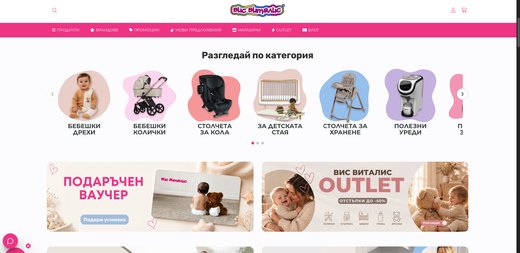
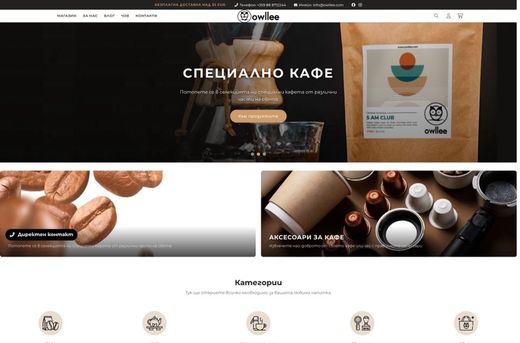
Two paths to the same goal: partners order on their own, and you stop retyping. B2B in your store, from today, or your own B2B platform built for your business.
Imagine you have a representative in Romania, Greece or Spain who sells wholesale to other businesses. Each sees only their own data, and you see everything.
1
You · administratorAll countries and distributors: catalog, prices, inventory, orders and reports in one place.
2
Distributors · by countryEach official representative has their own panel: their customers, their prices and their orders to you.
RomaniaGreeceSpain…
3
Distributors' customersThe businesses that buy wholesale from the distributor locally. They sign in, see their own prices and order on their own.
The path of an order, with no person in the middle
This is what we have built so far. Every platform follows the process of the specific business, so steps are added and removed as you need.
1InquiryThe business writes what it wants, in the platform or by email.
2AI quoteArtificial intelligence builds it from the catalog, inventory and the customer's prices.
3Quote by emailIt goes to the customer automatically, with no employee writing it.
4Order and invoiceThe order enters the ERP, and the invoice is created by itself.
5Payment is trackedWhen the money arrives, the status becomes “Paid” without any action from you.
6FulfillmentFrom there, the warehouse and delivery of the order start.
Taking orders by Viber, email and phone?Describe how you work today and which part holds you back. We will get back to you with what can be built and an estimate.
You set up the group once and everything else follows it. You switch it on yourself, from the admin.
Each partner sees their own prices
The group gets a percentage on the whole catalog, a category or selected products, an exact price for a selected product and codes just for it. The unit price drops with quantity.
Up to 12 quantity tiers per product
The end customer never sees wholesale prices
The number of groups and discounts depends on the plan
Where: in the admin, Customers → Customer groups and Marketing → Discounts.
Prices and quantities · Wholesale · −15%example
from 1 pc.€109.65
from 24 pcs.€103.20
from 120 pcs.€96.75
120 × €96,75€11 610,00
Example from /b2b on the site. The unit price drops with quantity, up to 12 tiers per product.
The catalog is visible only after sign-in
Nothing is visible without signing in. Or the homepage is public and the catalog is private. New businesses register, and the approval is yours, manual or automatic.
A separate B2B store next to the main one, with shared inventory
Or one store for wholesale and retail
Minimum order value
Where: in the admin, Apps → Private Store. The app is part of the higher-tier plans.
B2B · in the adminin the admin
Customer groupsWholesale, B2B, VIP: each customer is in one group, and the group decides the price, payment and delivery.Open in the admin →
Private StoreThe private store: the catalog is visible only after sign-in, and you approve registrations.Open in the admin →
DiscountsA percentage or exact price for the group, on the catalog, a category or selected products.Open in the admin →
Cart and orderThe minimum order value, below which an order does not go through.Open in the admin →
The links lead to the admin sign-in, and each app is in Apps under its own name.
Pay by invoice, for businesses only
Only businesses see bank transfer by invoice, while card and courier are visible to everyone. The business enters its company ID (UIC), authorized representative and VAT number, and the VAT number is checked in VIES.
A separate invoice address
The invoice is emailed to the customer
A credit note is issued for returned goods
Pay by invoice · Order #2048example
CompanyOptika Sever EOOD
UIC · VAT no.205123456 · checked in VIES
Paymentbank transfer by invoice
Who sees the methodWholesale group only
Invoice with UIC and VATgenerated automatically
Sample order. The invoice is issued when the order is paid or fulfilled.
The partner calls, the employee enters the order
Your employee picks the customer, adds the products and the agreed discount from the admin. When the business orders on its own, it repeats a previous order with one button in its profile.
The same shipping label, invoice and inventory
The order goes to your inventory software
No retyping from email and Excel
Orders · Order placed by staffexample
CustomerWholesale Trading Ltd
Products120 × Cat Eye · black
Discountagreed amount, entered manually
Order #2049created
Example from /b2b on the site. From here on it is an ordinary order: shipping label, invoice, inventory.
The same warehouse sells retail too
Your brand goes straight to the consumer, with no third-party store and no second system. One inventory for wholesale and retail.
One catalog for partners and end customers
Inventory and prices from your ERP: Microinvest (Bulgarian inventory and accounting software), Micro.bg, SelMatic and more
A separate store for another country, in another language and its currency
One warehouse · Warehouse · Espresso 1 kgexample
Total in stock1,000 pcs.
Reserved for wholesale orders480 pcs.
Sold at retail today37 pcs.
Available for the site483 pcs.
Sample warehouse. Wholesale and retail draw from one inventory.
CloudCart vs. orders by phone and Excel
CloudCart
Phone, email, Excel
Orders from partners
24/7, the partner orders on their own
During working hours
Prices per partner
Each sees their own
A spreadsheet that drifts out of sync
Wholesale prices for partners only
Private store
Visible to everyone or offline
Quantity discounts
Up to 12 tiers, automatic
You calculate by hand
Payment by invoice
A method for businesses only
By arrangement
The order in your inventory software
Enters by itself
An employee retypes it
A store for end customers
From the same warehouse
A separate system
Transaction fee on sales
0%
Depends on the platform
The comparison describes how things usually are and depends on the plan and the setup.
From sign-up to the first wholesale order
Create your store€1/month for the first 3 months. Already a customer? Go to step 2.
Create the groupsCustomers → Customer groups: partners, distributors, end customers.
Set the pricesA group discount, an exact price or quantity tiers.
Test with a partnerOne of your distributors places a real order and you watch it come in.
Already on CloudCart? Private Store is switched on from your store's admin: Apps → Private Store.
1,500+stores sell with CloudCart. Yours could be next.
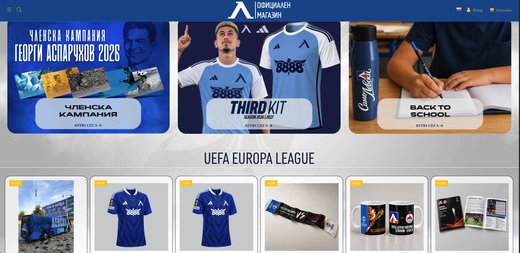
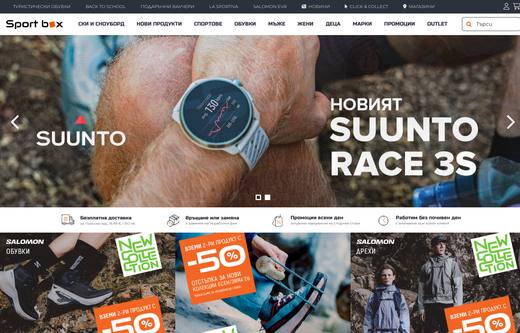
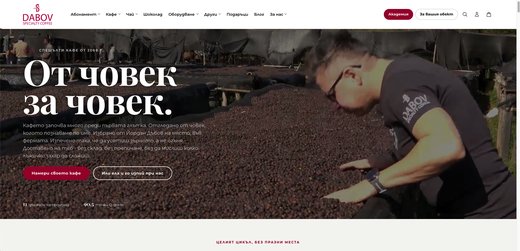
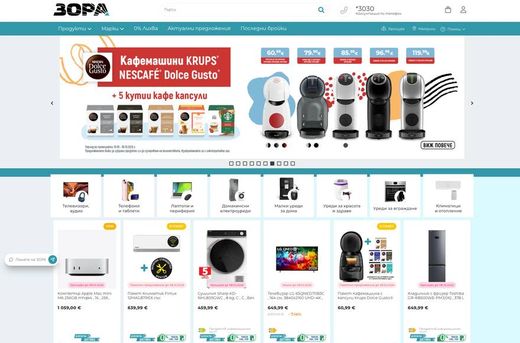
Some of the brands selling with CloudCart.
A Bulgarian team with 10 years of ecommerce experience
Stores on CloudCart sold €550 million over the last 12 months. The team is based in Sofia, knows the market and stays with you after launch.
A team in Sofia
A dedicated point of contact
10 years of experience
Honest recommendations
Or build your store with your AI assistant
Claude Code, ChatGPT Codex, Cursor, VS Code or Gemini CLI build your store step by step: products, categories, descriptions and settings. Write in English.
Register your storeRegistration takes a minute, with the same offer.
Get an access keyIn the admin: bottom-left menu → “PAT tokens” → new key.
Paste the sentence into your assistantIt asks about your goal and guides you step by step. Give it the key and your store’s address.
If you sell directly to businesses, start with B2B in your store: you can switch it on from the admin today. If you have distributors who sell on to their own customers, or a process the store does not cover, you need your own B2B platform.
02 / 11
What can your own B2B platform include?
Separate panels for you, your distributors and their customers, an ERP connection, invoices, AI quotes by email and a status that changes when the order is paid. We have built such platforms for dozens of businesses.
03 / 11
How much does your own platform cost and how long does it take?
It depends on the tiers, connections and your process. Write to us at support@cloudcart.com about how you take orders today and we will get back to you with what can be built and an estimate.
04 / 11
My partners have different prices. How does that work?
Each partner is in a group with its own prices and sees them after signing in. The wholesale price is a discount for the group: a percentage on the catalog, a category or selected products, or an exact price for a selected product. The end customer never sees wholesale prices.
05 / 11
Are there quantity discounts?
Yes. The unit price drops with quantity, up to 12 tiers per product. You also set whether a tier stacks with the group discount.
06 / 11
Can I require a minimum order?
Yes. In Settings → Cart and order you set a minimum value below which an order cannot go through. It applies to the whole store, so it is most convenient in a separate B2B store.
07 / 11
Can businesses see prices while everyone else cannot?
Yes. A private store (Private Store) sends anyone who is not signed in to a sign-in or “request access” page. You approve registrations manually or automatically. The app is part of the higher-tier plans.
08 / 11
Does it work with my inventory and accounting system?
Bulgarian systems such as Microinvest (inventory and accounting software), Micro.bg, SelMatic, Gensoft, PosMaster and Barsy are apps in the admin. For any others there is an API, and we can build the connection for you too, on request.
09 / 11
How much does it cost?
The plan is €1 per month for the first 3 months, for every plan from Baby to Unicorn. There is no commission on turnover, neither on wholesale nor on retail.
10 / 11
Can I also sell abroad?
Yes. A separate store for each language and market, with its own currency, from a single admin.
11 / 11
Will people find my brand in Google and ChatGPT?
Yes. The store is prepared for Google and AI search: llms.txt and structured data. The partner area stays hidden.
Wholesale and retail, in one store
Create your store for €1 per month for the first 3 months and open wholesale prices for your partners. For your own B2B platform, write to support@cloudcart.com.

 Econt
 Speedy
 BOX NOW
 Sameday
 Evropat
 Pigeon Express
 Poshta MikMik
 NTC Logistics
 ELS Logistic
 GLS
 CloudCart Pay
 Borica
 ePay
 myPOS
 Fibank
 DSK Bank
 Paysera
 PayPal
 Stripe
 Cash on delivery
 Bank transfer
 tbi bank
 DSK installments
 DSK 0%
 Fibank installments
 PB Personal Finance
 Iute
 Mokka
 eMAG
 OLX
 Pazaruvaj
 Sravni.bg
 Trendo
 Glami
 Skroutz
 TikTok Shop
 Glovo
 Microinvest
 Micro.bg
 Gensoft
 SelMatic
 Barsy
 R-Keeper
 Zeron
 Universum
 Versus
 Colibri
 POSMaster